Introduction
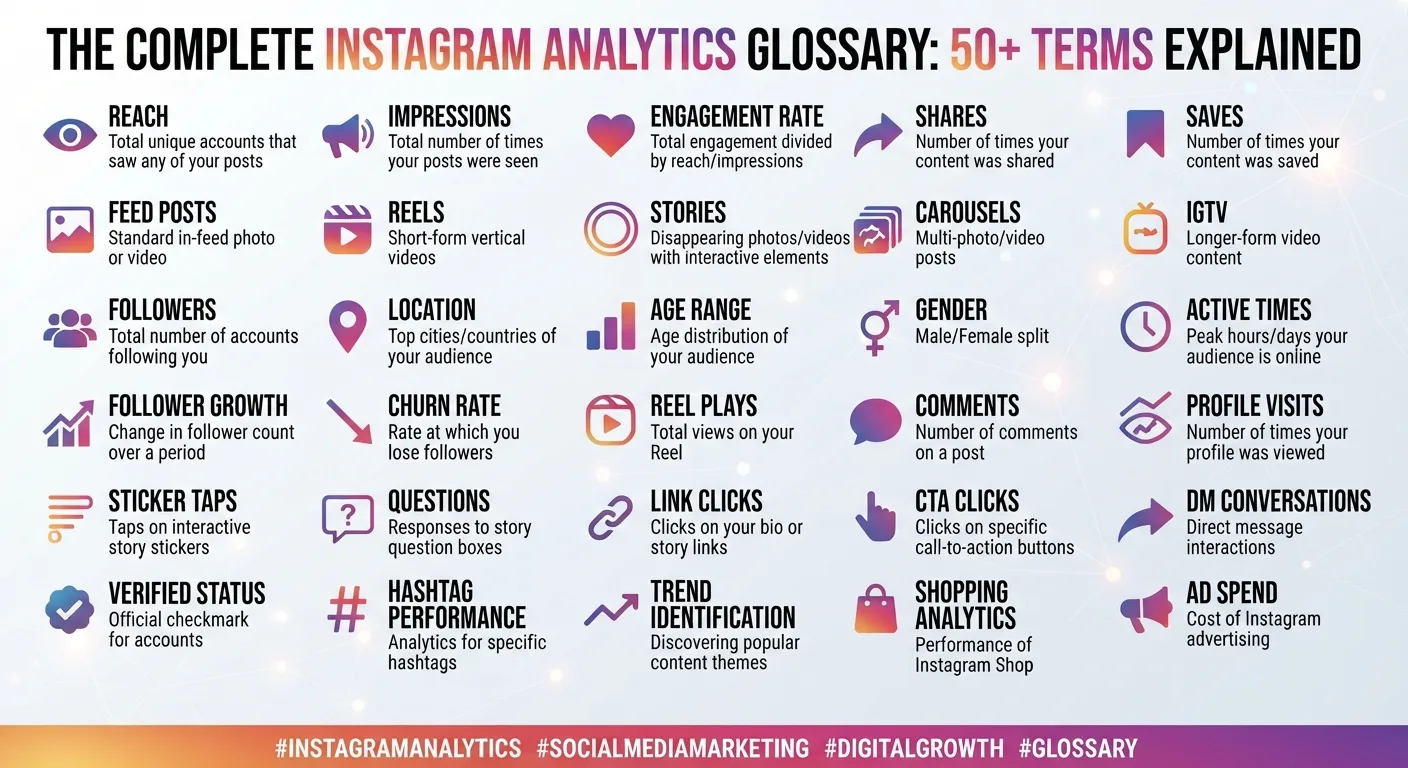
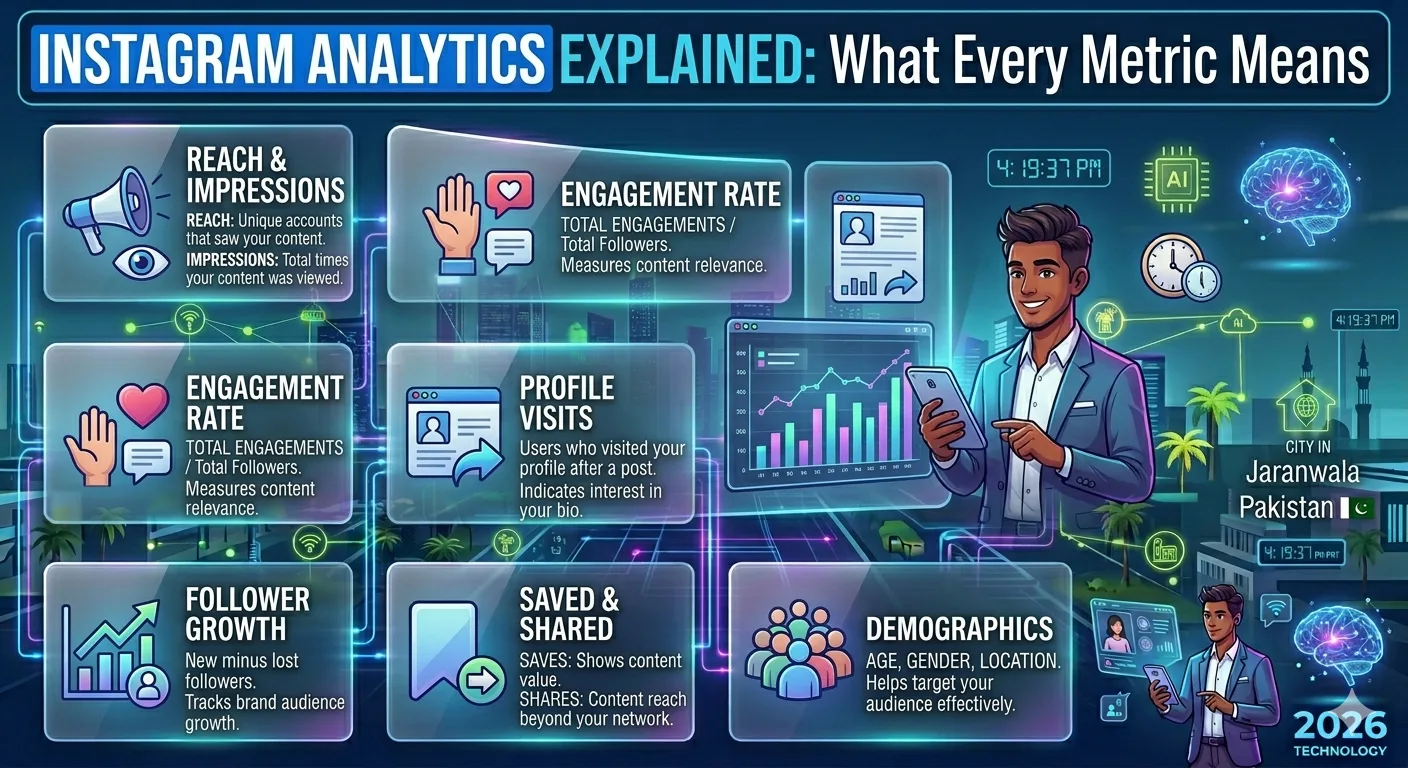
Instagram gives account owners access to a wealth of data about their content and audience. But for anyone who is new to social media marketing or even for experienced marketers who have never had someone properly explain it the dashboard full of numbers, percentages, and graphs can feel overwhelming.
What is the difference between reach and impressions? Does a high follower count actually mean anything? Why does engagement rate matter more than likes? And how do you use all of this data to actually make better decisions?
This guide answers all of those questions. We will walk through every major Instagram analytics metric, explain exactly what it measures, why it matters, and what a good number looks like for your account size and niche. By the end, you will be able to look at any Instagram account's analytics and understand precisely what the numbers are telling you.
Why Instagram Analytics Matter
Before diving into individual metrics, it is worth understanding why analytics matter in the first place.
Instagram is not just a photo-sharing app anymore. For businesses, creators, and public figures, it is a primary channel for reaching audiences, building brand awareness, driving sales, and establishing authority. Every piece of content you publish is an experiment and analytics are the results.
Without analytics, you are guessing. You might think a certain type of post is performing well because it feels good to you, but the data might tell a completely different story. Analytics tell you what your audience actually responds to, when they are most active, how your account is growing, and where your strategy needs to change.
For anyone researching competitor accounts or potential influencer partners, tools like InstaPV give you access to public analytics data follower growth trends, engagement rates, and posting patterns without needing access to the account's internal Instagram Insights dashboard.
Section 1: Audience Metrics
These metrics describe who follows you and how your audience is changing over time.
Follower Count
Follower count is the total number of Instagram accounts that have chosen to follow your profile. It is the most visible metric on any Instagram account and often the first number people look at when assessing an account's size or credibility.
However, follower count alone is one of the least meaningful metrics in isolation. An account with 500,000 followers and 0.1% engagement is far less valuable for both the creator and any brand considering a partnership than an account with 20,000 followers and 8% engagement.
Follower count matters most as a growth indicator over time. A steadily growing follower count signals that content is resonating and attracting new audiences consistently.
Follower Growth Rate
Follower growth rate measures how quickly an account is gaining or losing followers over a specific time period, expressed as a percentage.
The formula is straightforward: divide the number of new followers gained in a period by the total followers at the start of that period, then multiply by 100.
A healthy growth rate varies significantly by account size. Smaller accounts in the 1,000 to 10,000 follower range can realistically grow at 5 to 10 percent per month with a strong content strategy. Larger accounts in the hundreds of thousands tend to grow at 1 to 3 percent monthly, simply because the base number is much larger.
Sudden spikes or drops in follower growth are worth investigating. A spike might indicate a viral post or a mention from a larger account. A sharp drop often follows a controversial post or a period of inconsistent publishing.
Follower Demographics
Follower demographics break down your audience by age range, gender, and geographic location. Instagram Insights provides this data to account owners, though it is not publicly visible.
For account owners, demographics are critical for ensuring your content matches your actual audience. A fitness brand whose audience is 70 percent aged 45 to 65 may need to reconsider its content strategy if it is targeting 25 to 35 year olds.
Section 2: Content Performance Metrics
These metrics describe how individual posts, stories, and reels are performing.
Impressions
Impressions measure the total number of times a piece of content was displayed on a screen including multiple views from the same person.
If one person sees your post three times once in their feed, once when a friend shares it, and once when they revisit your profile that counts as three impressions.
Impressions are useful for understanding the total exposure your content is getting, but they can be misleading if used in isolation because they count repeat views.
Reach
Reach measures the number of unique accounts that saw your content. Unlike impressions, each account is counted only once regardless of how many times they saw the post.
Reach is generally considered a more meaningful measure of actual audience exposure than impressions. If your post has 10,000 impressions but only 2,000 reach, it means your content is being seen repeatedly by a small group rather than spreading to new eyes.
A healthy impressions-to-reach ratio depends on your goals. High impressions relative to reach can indicate strong content that people return to, but it can also mean your distribution is limited to your existing audience rather than reaching new people.
Likes
Likes are the most visible form of engagement on Instagram a simple signal that someone appreciated your content enough to tap the heart icon.
While likes are easy to understand, they are considered a relatively shallow engagement metric because they require minimal effort from the viewer. Instagram even experimented with hiding like counts from public view in some markets, partly to reduce the outsized psychological weight people place on this single metric.
Likes still matter as part of the overall engagement picture, but they should never be the only metric you track.
Comments
Comments represent a significantly deeper level of engagement than likes. Leaving a comment requires real effort and genuine interest from the viewer. A post that generates substantive comments questions, opinions, discussions is one that has genuinely connected with its audience.
For Instagram's algorithm, comments are also weighted more heavily than likes. A post generating active comment threads is more likely to be distributed to new audiences through the Explore page and suggested content.
When analyzing comments, quality matters as much as quantity. Ten thoughtful comments discussing the content are more valuable than 100 comments that are just emojis.
Saves
Saves are one of the most underrated Instagram metrics and have become increasingly important as signals of content value.
When someone saves your post, they are telling Instagram and you that your content was worth keeping for future reference. Save rates are particularly high for educational content, tutorials, recipes, design inspiration, and anything else people want to revisit.
Instagram's algorithm treats saves as a strong positive signal and uses high save rates to push content to broader audiences. If you want a single metric to focus on improving for algorithmic reach, saves are often the highest-leverage option.
Shares
Shares measure how many times your content was sent to another user via Instagram's direct message feature or shared to stories.
Shares are perhaps the strongest engagement signal of all, because sharing requires the viewer to actively decide that someone else in their network would benefit from seeing your content. It is word-of-mouth at scale.
High share rates are particularly common for content that is funny, surprising, relatable, or practically useful anything that makes people think "I need to send this to someone."
Section 3: Engagement Rate
Engagement rate is the single most important metric for evaluating the quality and health of an Instagram account, and it is worth understanding in detail.
What Is Engagement Rate?
Engagement rate measures what percentage of an account's audience actively interacts with their content. The most common formula is:
(Total Engagements ÷ Total Followers) × 100
Where total engagements typically includes likes, comments, saves, and shares on a given post.
So if a post receives 500 total engagements and the account has 10,000 followers, the engagement rate for that post is 5 percent.
What Is a Good Engagement Rate?
Engagement rate benchmarks vary by account size. As a general guide for Instagram in 2025:
| Account Size | Good Engagement Rate | Excellent Engagement Rate |
|---|---|---|
| Under 10K followers | 4% – 6% | 7%+ |
| 10K – 100K followers | 2% – 4% | 5%+ |
| 100K – 1M followers | 1% – 2.5% | 3%+ |
| Over 1M followers | 0.5% – 1.5% | 2%+ |
Larger accounts naturally have lower engagement rates because it becomes harder to personally connect with a massive audience. A mega-influencer with 5 million followers and 1.2% engagement is performing well. A micro-influencer with 8,000 followers and 1.2% engagement has a serious problem.
Why Engagement Rate Matters More Than Follower Count
For brands evaluating influencer partnerships, engagement rate is far more predictive of campaign success than follower count. An influencer with 50,000 followers and 6% engagement will almost always deliver better results than one with 500,000 followers and 0.4% engagement.
For account owners, engagement rate is the clearest signal of whether your content is actually resonating with your audience or just existing in their feeds unnoticed.
Section 4: Story Metrics
Instagram Stories have their own set of specific metrics that differ from feed post analytics.
Story Views
Story views count the number of accounts that opened and saw at least the first frame of your story. This is the basic reach metric for stories.
Story Completion Rate
Completion rate measures what percentage of viewers who started your story watched it all the way to the end. This is calculated by dividing the number of people who reached your final story frame by the number who saw the first frame.
-
Instagram Profile Viewer InstaPV
-
How InstaPV Protects Your Privacy While Browsing Instagram
-
Top 10 Reasons to Use an Instagram Story Viewer in 2026
A high completion rate generally above 70 percent signals that your story content is engaging enough to hold viewers' attention from start to finish. A low completion rate indicates that viewers are swiping away partway through, which is a strong signal to shorten your stories or make the content more immediately engaging.
Story Exits and Swipe-Aways
Exit rate measures how many viewers left your story by swiping down or switching to another account's story rather than continuing. A high exit rate on a particular frame within your story sequence tells you exactly where you are losing your audience's attention.
Story Replies
Story replies are direct messages sent in response to a story. They represent the deepest possible engagement from a story viewer someone who was moved enough to start a personal conversation with you.
High story reply rates are a strong indicator of a genuinely engaged, loyal audience and are particularly valuable for personal brands and creators building close relationships with their followers.
Section 5: Reach and Discovery Metrics
These metrics tell you how people are finding your content.
Profile Visits
Profile visits measure how many times your profile was viewed during a given period. A spike in profile visits often follows a high-performing post or a mention from another account.
The relationship between profile visits and follower conversions how many profile visitors actually follow you is a useful indicator of how compelling your profile setup is.
Website Clicks
For accounts with a website link in their bio, website clicks measure how many times that link was tapped. This is the primary metric for accounts using Instagram as a traffic driver to an external site, store, or landing page.
Explore Page Impressions
A portion of your impressions will come from Instagram's Explore page the discovery feed shown to users who do not already follow you. High Explore impressions mean Instagram's algorithm is actively distributing your content to new audiences, which is one of the fastest paths to organic follower growth.
How to Track These Metrics Without Access to Private Dashboards
Account owners can access all of these metrics through Instagram's native Insights tool, available to business and creator accounts. But what about researching competitor accounts or evaluating potential influencer partners?
That is where tools like InstaPV become valuable. InstaPV's analytics engine tracks publicly visible metrics for any public Instagram account including follower growth trends over time, estimated engagement rates, posting frequency, and activity patterns.
While InstaPV cannot access private Insights data like story completion rates or demographic breakdowns that only the account owner can see, it provides a comprehensive picture of public performance metrics that is more than sufficient for competitive research, influencer evaluation, and market analysis.
Frequently Asked Questions
Q: What is the most important Instagram metric to track? For most accounts, engagement rate is the single most important metric because it measures whether your content is genuinely connecting with your audience. Follower count means nothing if no one is engaging with what you post.
Q: How often should I check my Instagram analytics? For active accounts, a weekly review is sufficient for most metrics. Monthly deep-dives into growth trends and content performance patterns give you the strategic perspective to adjust your approach. Daily checking of individual post performance can be useful in the first 48 hours after publishing.
Q: Can I see analytics for accounts I do not own? You cannot access another account's private Insights dashboard. However, tools like InstaPV provide publicly available analytics data follower growth, estimated engagement, posting patterns for any public Instagram account.
Q: Why does my reach keep dropping even though my follower count is growing? This is a common experience and usually means your content engagement rate is declining. Instagram's algorithm distributes content to a larger portion of your followers when engagement is high. If engagement drops, reach drops with it even as your total follower count grows. Focus on content quality and consistency over raw follower acquisition.
Q: What does it mean if my impressions are much higher than my reach? It means the same people are seeing your content multiple times. This can indicate strong algorithmic distribution — Instagram keeps showing your post to the same engaged users but it also suggests the content is not spreading to genuinely new audiences. To increase reach, focus on shareable content formats and strategic hashtag use.
Conclusion
Instagram analytics can feel intimidating at first, but every metric has a clear purpose and a practical application. Once you understand what each number measures and why it matters, the data stops being overwhelming and starts being genuinely useful.
The most important shift to make is moving away from vanity metrics follower counts and raw like numbers and toward engagement rate, saves, shares, and growth trends. These are the numbers that actually tell you whether your Instagram strategy is working.
Whether you are managing your own account, researching competitors, or evaluating influencer partnerships, understanding these metrics gives you a significant advantage over the majority of Instagram users who are still just guessing.
Track Instagram analytics for any public account using InstaPV →