Introduction
Throughout this 30-day series, InstaPV has appeared in nearly every post as the primary tool for competitive research, anonymous Story viewing, influencer evaluation, public account analytics, and professional Instagram intelligence work. References to specific features have accumulated across dozens of different use cases and contexts.
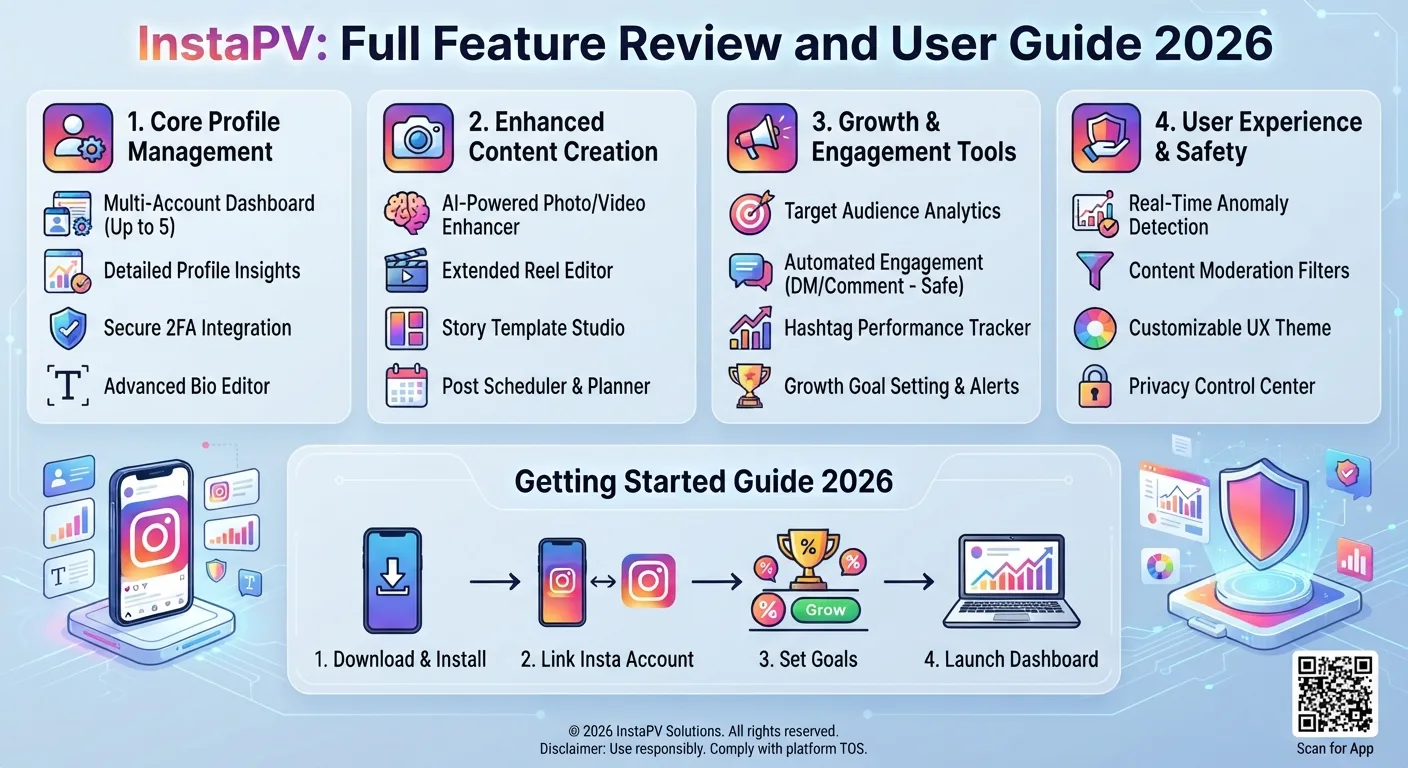
This post brings everything together: a complete, organized review of every InstaPV feature, how each one works, who it is most useful for, and how to get the most from it. Whether you have been following the series and want a consolidated reference, or you are encountering InstaPV for the first time, this guide covers the full picture.
What InstaPV Is and How It Works
InstaPV is a web-based tool that provides access to publicly available Instagram data from any public Instagram account, without requiring any Instagram account, login, or personal information from the user.Read blog
The core principle underlying every InstaPV feature is the same: publicly available content on public Instagram accounts is accessible to anyone. InstaPV provides a cleaner, more capable, and more anonymous interface for accessing this public content than Instagram's own platform provides to unauthenticated visitors, while adding analytics capabilities that Instagram's public interface does not offer at all.
As covered in Day 3's public versus private data guide and Day 15's explanation of public Instagram profiles, a public Instagram account's content is genuinely publicly accessible to anyone on the internet. InstaPV accesses this content without routing through Instagram's own tracking infrastructure, which provides the anonymity benefits discussed throughout this series.
InstaPV works through any web browser on any device, with no installation, no download, and no account required for free tier functionality. Visiting instapv.xyz and entering a public Instagram username is the complete entry point for most use cases.
Feature 1: Profile Viewer
What It Does
The profile viewer retrieves and displays the publicly available profile information for any public Instagram account. When you search a username on InstaPV, the first thing displayed is the complete profile: display name, username, bio text, website link, follower count, following count, post count, category label for business accounts, and profile picture.
What Makes It Useful
Instagram's own interface increasingly pushes unauthenticated visitors toward login, often restricting how much profile information is visible before prompting account creation. InstaPV bypasses this friction and provides consistent access to full public profile information regardless of whether you have an Instagram account.
The profile picture is displayed at higher resolution than the compressed thumbnail Instagram shows in most contexts, as covered in Day 22's profile picture guide. This full-resolution access is useful for researchers, journalists, brand managers verifying account identity, and anyone who needs to see profile pictures clearly rather than as small compressed thumbnails.
Who Benefits Most
Anyone conducting research on public Instagram accounts: journalists verifying public figures, brand managers screening influencer candidates, competitive researchers reviewing competitor positioning, and individuals who want to view a profile without creating an Instagram account.
Feature 2: Story Viewer
What It Does
The story viewer allows viewing active Stories from any public Instagram account within their 24-hour visibility window, with no viewer record created.
When you search a username on InstaPV and the account has active Stories, they appear in the story section of the profile view. Tapping or clicking opens the fullscreen story viewer, which displays each Story frame in sequence with navigation controls to move forward and back through multi-frame Stories.
The Anonymity Mechanism
As covered in Day 13's guide to what happens when you view an Instagram Story, viewer records are only created when content is viewed through a logged-in Instagram session. InstaPV accesses public Story content outside of Instagram's logged-in session infrastructure, meaning no viewer record is created at any stage. The account owner's Story viewer list is completely unaffected by views through InstaPV.
What Makes It Useful
Anonymous Story viewing is the most widely needed capability in the competitive research, influencer evaluation, journalist monitoring, and brand management contexts covered across dozens of posts in this series. The specific value of anonymity in each context has been covered in detail throughout:
For competitor research as covered in Day 4, anonymously monitoring competitor Stories prevents alerting competitors to research interest. For influencer evaluation as covered in Day 7, viewing Stories without creating viewer records allows thorough content review before any partnership conversation. For journalists as covered in Day 13, anonymous access allows monitoring public figures without affecting the reporting relationship. For brands monitoring mentions as covered in Day 17, anonymous access to Stories prevents tipping off accounts that are being monitored.
Who Benefits Most
Social media managers, brand managers, marketers, journalists, researchers, and anyone who needs to view public Stories without their identity being revealed to the account owner.
Feature 3: Highlights Viewer
What It Does
The Highlights viewer provides access to all Highlight collections on any public Instagram account, organized by category with their cover images and labels visible.
Selecting any Highlight collection opens the fullscreen viewer for the Story content within that collection. All story frames in the Highlight are viewable in sequence, with the same anonymous access that applies to active Stories.
What Makes It Unique
Unlike active Stories, Highlights are permanent until the account owner removes them. This means the Highlights viewer provides ongoing access to the content the account owner considered important enough to preserve, rather than the time-limited access that active Stories provide.
As covered in Day 2's Highlights guide and Day 14's Highlight covers guide, Highlights reveal an account's content priorities, brand organization approach, and permanent messaging in ways that feed content alone does not capture.
Who Benefits Most
Competitive researchers studying how competitors organize and present their permanent content, influencer evaluators assessing content quality across more than just the current feed, brand researchers studying how effective accounts use Highlights for profile organization, and anyone wanting to understand an account's priorities beyond what its current feed shows.
Feature 4: Analytics Dashboard
What It Does
The analytics dashboard provides quantitative performance data for any public Instagram account, derived from publicly available data rather than requiring access to the account's private Instagram Insights.
The primary analytics data available through InstaPV includes follower growth history shown as a chart over available historical periods, engagement rate calculations and trend data, and posting frequency and consistency analysis.
The Follower Growth Chart
The follower growth chart is one of the most strategically valuable pieces of data InstaPV provides. As covered in Day 5's follower growth guide, Day 18's fake follower detection guide, and Day 25's rising influencer guide, the shape of the growth curve reveals far more than the current follower count number.
A smooth, gradually steepening curve indicates genuine organic momentum. Near-vertical spikes without corresponding content events indicate purchased followers. A sawtooth pattern of repeated spikes and drops indicates ongoing follower purchase activity. A flat line indicates growth plateau. Identifying these patterns requires the visual growth chart that InstaPV provides, not just a current follower count snapshot.
Engagement Rate Data
The engagement rate calculation and trend data provides the primary quantitative assessment of content-audience relationship quality, as covered in Day 2's analytics guide, Day 8's engagement rate guide, and throughout this series. For competitive research and influencer evaluation, engagement rate data allows comparing accounts accurately rather than relying on follower count alone.
Who Benefits Most
Every professional use case for Instagram research benefits from analytics data: influencer evaluation where engagement rate determines partnership value as covered in Day 7, competitive benchmarking where comparative data contextualizes performance as covered in Day 9, brand research where account trajectory assessment informs partnership decisions as covered in Day 15, and market research where identifying high-performing accounts requires sorting by genuine engagement rather than follower count.
Feature 5: Story Download
What It Does
The story download feature allows saving public Story content from any public account directly to the user's device, including both active Stories and content within Highlights.
Photo stories download as image files. Video stories download as video files. The downloaded content reflects the quality available from the publicly accessible version of the story content.
Primary Use Cases
As covered in Day 3's story downloading guide, legitimate story downloading serves several specific needs: archiving public content before it expires for research or journalistic documentation, saving reference content for competitive analysis, preserving Story content as legal or compliance documentation, and downloading inspiration content for creative reference.
The time-sensitivity dimension makes this feature particularly valuable for journalists and researchers. As covered in Day 13's journalism guide, Stories disappear in 24 hours, and any research purpose that requires preserving a Story needs to capture it within the availability window. InstaPV's download functionality provides this capability efficiently.
Who Benefits Most
Journalists archiving public statements for documentation, brand managers preserving competitive intelligence, researchers archiving content for academic analysis, legal or compliance teams documenting public communications, and creative professionals building reference libraries.
Feature 6: Profile Picture Download
What It Does
InstaPV retrieves and displays public profile pictures at higher resolution than Instagram's compressed thumbnails and provides download functionality for the displayed image.
As covered in Day 22's profile picture guide, the downloaded quality reflects the highest resolution Instagram makes publicly available for profile pictures, which is better than the compressed thumbnails displayed in most Instagram interface contexts but not equivalent to the original pre-upload image.
Who Benefits Most
Researchers verifying account identity, journalists needing clear images of profile pictures for reporting, brand managers assessing visual quality of potential partner accounts, and designers studying visual brand identity approaches.
Feature 7: Saved Profile Collections (Pro)
What It Does
InstaPV Pro's saved profile collections feature allows organizing accounts into named collections for efficient ongoing monitoring, rather than re-searching the same usernames repeatedly at each review session.
Collections can be named by purpose or category, such as client competitors, influencer candidates, or industry research accounts. Within each collection, all saved accounts are accessible with a single click rather than individual searches.
What Makes It Valuable at Scale
As covered in Day 8's tracking guide and Day 23's monitoring guide, the efficiency value of saved collections compounds significantly when monitoring large numbers of accounts across multiple client or project contexts. For agencies with separate competitor sets for each client, the ability to switch between client-specific collections rather than searching individual accounts is a meaningful operational efficiency.
For ongoing research programs tracking the same accounts over extended periods, saved collections maintain the organizational structure across sessions rather than requiring reconstruction of the research context at each review.
Who Benefits Most
Social media agencies managing multiple client competitive sets, professional researchers tracking defined account sets over time, brand managers maintaining ongoing influencer watchlists, and anyone conducting regular monitoring of more than five to ten accounts.
Feature 8: PDF and CSV Export (Pro)
What It Does
InstaPV Pro's export features allow downloading analytics data in two formats. PDF export generates formatted analytics reports suitable for sharing with clients or stakeholders. CSV export generates raw data files suitable for further analysis in spreadsheet tools or integration with other data systems.
Applications in Professional Workflows
As covered in Day 5's PDF reporting guide and Day 9's CSV export guide, these export formats serve distinct professional needs.
PDF reports are used directly in client-facing deliverables, providing the formatted competitive benchmarking data that client reports require without manual data copying and formatting effort.
CSV exports support custom analysis workflows, historical data tracking in personal databases, and integration with other reporting platforms that import tabular data.
For agencies producing monthly client reports as covered in Day 20's client reporting guide, the export functionality reduces the time spent gathering and formatting competitive data from several hours to under thirty minutes for a typical competitive set.
Who Benefits Most
Social media managers and agencies producing regular client reports, researchers building analytical datasets across multiple public accounts, and business intelligence teams integrating Instagram competitive data with other data sources.
Feature 9: API Access (Pro)
What It Does
InstaPV Pro provides API access for programmatic retrieval of public account data, allowing developers and technical teams to integrate InstaPV's data capabilities directly into applications, automated workflows, and custom analytics infrastructure.
As covered in Day 18's API guide, the API follows standard REST conventions with JSON responses, making it compatible with any programming language that supports HTTP requests. Authentication uses standard API key headers.
What Can Be Accessed Through the API
The API provides programmatic access to the same data available through the web interface: profile information, follower growth data, engagement rate analytics, and Story and content access for public accounts. This programmatic access enables automation of tasks that would otherwise require manual web interface use.
Primary Development Use Cases
Developers building Instagram analytics features into applications can use the InstaPV API as a data backend. Agencies automating competitive research data collection can schedule API calls rather than conducting manual searches. Researchers building large-scale datasets can collect data from many public accounts efficiently without manual data collection.
Who Benefits Most
Developers building Instagram-powered applications or tools, technical teams automating Instagram research and reporting workflows, and data scientists or researchers requiring programmatic data collection at scale.
Free vs Pro: Complete Feature Comparison
The following covers every feature in terms of free versus Pro availability.
Profile viewer: Available free without any login or account creation. All profile information is accessible for any public account.
Story viewer: Available free. Any active Stories from public accounts can be viewed anonymously.
Highlights viewer: Available free. All Highlights from public accounts are accessible.
Analytics dashboard: Basic analytics available free. Full analytics history available with Pro.
Story download: Available free for basic downloads. Pro provides expanded capabilities for systematic downloading.
Profile picture download: Available free.
Saved profile collections: Pro only. Free users must search accounts individually each session.
PDF export: Pro only.
CSV export: Pro only.
API access: Pro only.
Search volume: Free tier has limits on searches per session. Pro provides unlimited searches.
Historical data depth: Free tier provides recent data. Pro provides full available analytics history.
Getting Started With InstaPV
Free Tier Getting Started
Navigate to instapv.xyz in any browser. No account creation, no login, no personal information required. Type any public Instagram username into the search bar and press Enter or tap Search.
The profile loads within a few seconds showing profile information, available Stories, and Highlights. Navigate to the analytics section of the profile to access growth and engagement data.
That is the complete entry process for free tier use. The entire flow from opening the browser to viewing a profile takes under thirty seconds.
Pro Tier Getting Started
Visit instapv.xyz and review the current Pro plan options and pricing. Create an account and complete the subscription process. Pro features including saved collections, export functionality, full analytics history, and API access are immediately available upon subscription activation.
For team or agency use, review the current account structure at instapv.xyz to confirm whether the Pro plan supports the number of users or seats required for the team workflow.
Common Use Cases: Quick Reference Guide
This reference summarizes how InstaPV is used for each major use case covered across the series.
Competitor monitoring (Day 4, Day 9): Search competitors on InstaPV, review growth charts and engagement rate, view their Stories and Highlights anonymously, record findings in tracking spreadsheet, repeat monthly.
Influencer evaluation (Day 7, Day 15): Search candidates on InstaPV, review growth chart for spike patterns, check engagement rate against size-tier benchmarks, view Stories and Highlights anonymously, assess comment quality manually, score candidate on evaluation rubric.
Client report competitive benchmarking (Day 20, Day 24): Review saved client competitor collections, record current follower growth trend assessment and engagement rates, export data, incorporate into client report competitive context section.
Rising influencer detection (Day 25): Search niche accounts identified through hashtag and Explore observation, look for growth chart acceleration patterns, cross-reference with engagement rate stability, build watchlist in saved collections.
Niche research (Day 19): Search top-performing niche accounts, review growth and engagement across the set, view content through Stories and Highlights, synthesize patterns into content strategy intelligence.
Brand monitoring (Day 17): Search accounts that have mentioned the brand, view their Stories and Highlights for brand reference content, download content before 24-hour expiration if documentation needed.
Academic research (Day 25): Access public profile information and content for research sample accounts, view and download time-sensitive Story content, collect analytics data for quantitative analysis.
Frequently Asked Questions
Q: Does InstaPV ever require me to log into Instagram?
No. InstaPV accesses publicly available Instagram content independently of Instagram's login system. No Instagram account is ever required for any InstaPV feature, free or Pro.
Q: Will the account I am researching be notified that I used InstaPV?
No. As covered throughout this series, InstaPV accesses public content without creating any signal visible to the account owner. No notification, no viewer record, no analytics impact on the researched account.
Q: Can InstaPV access private Instagram accounts?
No. InstaPV only accesses publicly available content from public Instagram accounts. Private account content is not accessible through InstaPV or any other legitimate tool, as covered in Day 3's public versus private data guide.
Q: Is there a mobile app for InstaPV?
InstaPV is fully web-based and works in any mobile browser without app installation. The mobile browser experience provides the same functionality as the desktop experience.
Q: How current is the data InstaPV provides?
InstaPV accesses current public data at the time of each search rather than showing cached data. Analytics trend data reflects the accumulation of data over the period InstaPV has been tracking the account. For newly searched accounts, trend data begins accumulating from the first search rather than showing historical data before that point.
Q: Does using InstaPV violate Instagram's terms of service?
InstaPV accesses publicly available data independently of Instagram's platform. As covered in Day 9's anonymous viewing legal and ethical guide, accessing publicly available content is a normal internet activity. Users of InstaPV are not Instagram users operating within Instagram's account terms when using InstaPV, since they are not accessing Instagram's platform directly.
Month in Review: 30 Days of Instagram Insights Recap
The Complete Instagram Analytics Glossary: 50+ Terms Explained
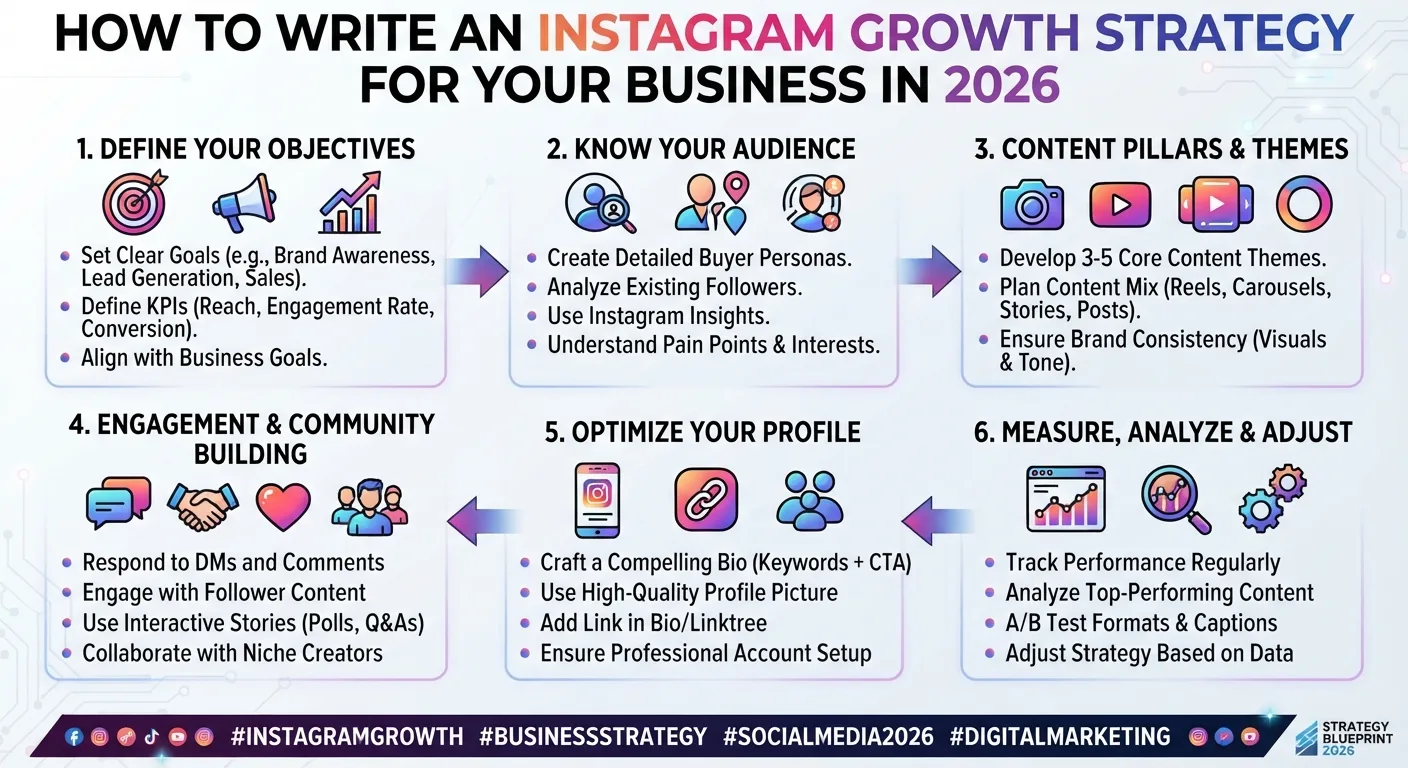
How to Write an Instagram Growth Strategy for Your Business in 2026
Conclusion
InstaPV's feature set covers the core needs of everyone who works with public Instagram data professionally: anonymous viewing for research privacy, profile and analytics access for competitive intelligence, Story download for content archiving, and Pro features for systematic scaled research and professional reporting.
The consistent theme across every InstaPV feature is the same principle that runs through the entire series: public Instagram content is genuinely public, and accessing it efficiently and anonymously for legitimate research, competitive intelligence, and professional purposes is exactly what the tool is designed to enable.
The free tier covers the vast majority of individual research needs with zero cost and zero friction. The Pro tier addresses the scale and efficiency requirements of professional and agency workflows where the free tier's limitations create genuine operational constraints.
Start using InstaPV for your Instagram research needs today →