Introduction
Most Instagram users have wondered at some point exactly what happens on the other end when they watch someone's Story. Does the person get notified immediately? Can they see how many times you watched? Does it matter whether you watch the whole thing or exit partway through? What if you screenshot it?
These are genuinely reasonable questions that Instagram's own interface does not answer clearly. The platform shows you other people's Stories without explaining what data gets recorded or shared as a result of your viewing.
This guide answers every version of this question clearly and completely, covering what gets recorded, what the account owner can see, how long viewer data is available, and what changes when you view through a tool like InstaPV rather than through Instagram's own app.
The Basic Mechanics: What Gets Recorded
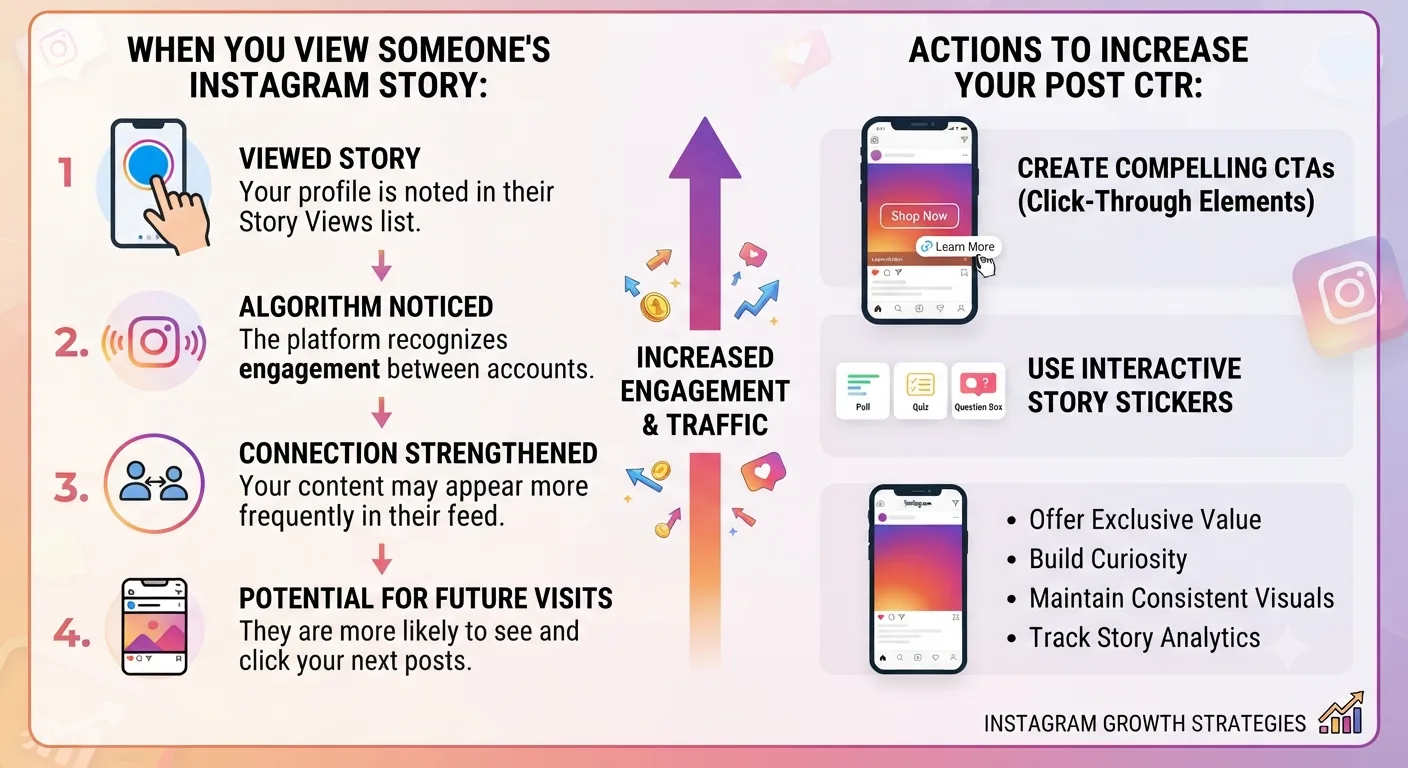
When you watch a Story through Instagram's official app while logged into your account, Instagram records your view. Specifically it adds your username to the viewer list for that Story, which the account owner can access by opening the Story and tapping the viewer count at the bottom left of the screen.
This recording happens automatically and immediately. There is no delay and no minimum watch time required. Tapping on a Story and seeing even the first frame for a fraction of a second is enough for your username to appear in the viewer list.
The viewer list shows every Instagram account that opened the Story during its active window, in roughly reverse chronological order with the most recent viewers appearing first. The account owner sees usernames and profile pictures for each viewer and can tap through to any viewer's profile directly from this list.
Does the Account Owner Get Notified When You View?
No. Instagram does not send a notification to the account owner each time someone views their Story. There is no push notification, no alert, and no in-app message triggered by an individual view.
The account owner can check their Story viewer list at any time during the Story's 24 hour window, but this is a manual action they take rather than a notification pushed to them by Instagram. Most casual Story posters check their viewer list occasionally out of curiosity rather than monitoring it actively in real time.
This distinction matters practically. While your view is recorded and available to the account owner if they choose to check, the default experience for most Story posters is not one of real-time monitoring of individual views.
How Long Can the Account Owner See Your View?
The viewer list for an active Story is accessible to the account owner for the duration of the Story's 24 hour window. Once the Story expires, the viewer list also becomes inaccessible through Instagram's standard interface.
This means that after 24 hours, an account owner can no longer go back and check who watched a specific Story unless they recorded the viewer list data themselves before it expired.
There is one exception worth noting. If the account owner saves the Story to a Highlight before it expires, the Highlight continues to be viewable and the viewer tracking continues to record new views on the Highlight content going forward. However, the viewer list for a Highlight is typically separate from the original Story viewer list, tracking views received while the content exists as a Highlight rather than carrying over the full historical viewer list from the original Story's active window.
Can They See How Many Times You Watched?
No. Instagram's viewer list shows that an account viewed the Story but does not show how many times a specific viewer watched it. If you watch the same Story three times in a row, your username appears once in the viewer list, not three times.
The total view count displayed on the Story, visible to the account owner, reflects the total number of views including repeat views from the same account. But the individual viewer list only shows unique accounts rather than view counts per account.
Does It Matter If You Exit the Story Early?
Whether you watch a Story to completion or exit partway through affects the account owner's completion rate data in their analytics, but it does not affect whether your username appears in the viewer list.
As covered in Day 8's Stories best practices guide, completion rate is an important metric for the account owner to track since it reflects how engaging their Story content is. But from your perspective as a viewer, exiting early does not make your view disappear from the viewer list. Your username was recorded the moment you opened the Story regardless of how much of it you watched.
Does Instagram Show You Who Has Viewed Your Story?
Yes, but only if you are the account owner. The viewer list is private to the account whose Story it is. You cannot see who has viewed someone else's Story, and other people viewing the same Story cannot see each other's usernames in the viewer list.
From a viewer's perspective, there is no way to know who else has watched the same Story you watched. The viewer data is only visible to the account owner looking at their own content.
What About Screenshots and Screen Recordings?
Instagram does not notify account owners when someone takes a screenshot of a Story. This is different from the behavior for disappearing photos sent through Instagram's direct message feature, where screenshot notifications do apply.
For Stories, screen recordings are also not detected or notified. An account owner has no way to know through Instagram whether their Story was screenshotted or screen recorded by a viewer.
What Changes When You View Through InstaPV
When you view a Story through InstaPV rather than through Instagram's own app, the mechanics are fundamentally different.
Because InstaPV accesses publicly available Story content without routing through a logged-in Instagram session, no viewer record is created. Your username does not appear in the account owner's viewer list because there is no logged-in Instagram identity to associate with the view in the first place.
The account owner's Story viewer list and total view count reflect only views received through Instagram's official platform. Views through InstaPV are not counted in any Instagram metric visible to the account owner.
This is why the anonymous viewing discussed throughout this series is genuine rather than theoretical. It is not that your view is hidden or suppressed within Instagram's system. It is that the viewing mechanism used by InstaPV operates outside the logged-in session infrastructure that Instagram uses to record and attribute Story views.
What About Public vs Private Accounts
For public accounts, anyone with an Instagram account can view their Stories and will appear in their viewer list. The account owner has no control over which logged-in Instagram users view their public Stories.
For private accounts, only approved followers can view Stories, and only approved followers appear in the viewer list. Setting an account to private restricts Story viewing to the approved follower list rather than the general Instagram user base.
This distinction also applies to tools like InstaPV. As covered throughout this series, InstaPV works only with public accounts. Stories from private accounts are not accessible through any legitimate third party tool regardless of viewing method.
Blocking and Hiding Stories From Specific Viewers
Account owners do have some control over who sees their Stories even on public accounts. Instagram allows hiding Stories from specific accounts, which prevents those accounts from seeing new Stories even though the account remains public overall.
If an account owner has hidden their Stories from your account, you will not see their Story ring even if their account is otherwise public. You can still visit their profile, but their Stories will not be visible to you through Instagram's own platform.
This hiding mechanism does not affect viewing through InstaPV, since InstaPV accesses public content independently of the per-account hiding feature that Instagram applies to logged-in viewers.
-
Instagram Stories vs Reels vs Posts: Complete 2026 Guide
-
How to Write an Instagram Caption That Gets More Comments
-
How Journalists Use Instagram Viewer Tools for Research
Frequently Asked Questions
Q: Can someone tell if I keep checking their Story multiple times?
No. As explained above, the viewer list shows your username once regardless of how many times you view the Story. There is no mechanism within Instagram's viewer data that reveals repeated views from the same account.
Q: If I view someone's Story and then block them, does my view disappear from their list?
Blocking behavior and its effect on existing viewer data is not fully transparent in Instagram's documentation and may change with platform updates. In general, blocking prevents future interaction visibility but may not retroactively remove data already recorded during the Story's active window.
Q: Does viewing someone's Story affect whether Instagram recommends my account to them?
Instagram's recommendation systems are influenced by various engagement signals, and viewing someone's Story while logged in does create a connection signal between your account and theirs. Whether this influences recommendations specifically is not publicly documented by Instagram in detail.
Q: Can businesses see detailed analytics about who viewed their Stories beyond the basic viewer list?
Business accounts have access to Instagram Insights data for their Stories, which includes aggregate metrics like reach, impressions, and completion rate. The individual viewer list remains the primary mechanism for seeing specific viewer identities, and this list is the same for both personal and business accounts.
Q: What happens to Story viewer data when an account is deleted?
When an Instagram account is deleted, the account's content and associated data are removed according to Instagram's data retention policies. Viewer records associated with a deleted account's Stories would be subject to these same policies.
Conclusion
When you view someone's Instagram Story through the official app while logged in, your username is immediately and permanently added to their viewer list for the duration of the Story's 24 hour window. The account owner can check this list at any time but does not receive a real-time notification for each individual view. They cannot see how many times you watched, whether you exited early, or whether you screenshotted the content.
When you view through InstaPV, none of this applies. The viewing mechanism operates outside Instagram's logged-in session infrastructure, meaning no viewer record is created at any stage and your view has no presence in any Instagram metric visible to the account owner.
Understanding these mechanics clearly allows you to make informed decisions about how and when to view Instagram Stories depending on whether anonymity matters for your specific situation.