Introduction
Instagram Insights, the platform's native analytics dashboard, is officially available only to business and creator accounts. If you have a personal account and want access to analytics data about your posts, Stories, and audience, the standard answer from Instagram is to switch to a business or creator account.
But this answer leaves several questions unanswered. What if you do not want to switch account types? What data is accessible without official Insights access? And what alternatives exist for getting meaningful analytics information without changing your account settings?
This guide covers the complete picture: what analytics are and are not accessible on personal accounts, what switching to a business or creator account actually changes, and what alternative approaches exist for anyone who wants analytics data without the official Insights dashboard.
What Instagram Insights Actually Is
Instagram Insights is a built in analytics dashboard that provides performance data for posts, Stories, and Reels alongside audience information including demographics, active hours, and follower growth.Read blog
The dashboard is accessible directly within the Instagram app for accounts that have switched to business or creator account type. It is not a separate tool or subscription and does not cost anything to access beyond the account type requirement.
The data available through Insights includes reach and impressions for individual posts and Stories, engagement breakdowns including likes, comments, saves, and shares, audience demographic information including age range, gender, and top locations, follower activity patterns showing when your audience is most active, and profile visits and website link clicks over selected time periods.
What Personal Accounts Can Access Without Insights
Personal Instagram accounts are not completely without analytics data. Several pieces of information are accessible without switching account types.
Like and Comment Counts on Posts
Every Instagram account can see the like count and comment count on their own posts, and can read all comments. This basic engagement visibility is available regardless of account type.Instapv
View Counts on Reels and Videos
Personal accounts can see the view count on their own Reels and video posts. This shows how many times each video has been played but does not provide the detailed breakdown available through Insights such as watch time, completion rate, or reach by source.
Story Viewer Lists
Personal accounts can see who has viewed each Story during its 24-hour active window by swiping up on the Story. This viewer list shows usernames of accounts that opened the Story but does not provide the aggregate analytics metrics like reach percentage or exit rate that Insights provides for business and creator accounts.
Follower Count
Every account can see their own current follower count. What personal accounts cannot see is how this count has changed over time in a tracked, graphical format, since follower growth trend visualization is an Insights feature.
What Personal Accounts Cannot Access Without Switching
The analytics gap between personal accounts and business or creator accounts is significant enough that understanding it clearly is important for anyone making the decision about whether to switch.
Personal accounts cannot access audience demographic data including age range breakdown, gender distribution, or geographic distribution of followers. They cannot see follower growth trends over time in any structured format. They cannot access reach or impressions data for any content, meaning they cannot see how many unique accounts saw their posts beyond the visible engagement metrics. They cannot see Story analytics beyond the basic viewer list, including exit rates, tap forward and back data, or completion rate. They cannot see profile visits, website clicks, or other profile action data. They cannot access Reels analytics including watch time, completion rate, or reach by source.
This is a substantial analytics gap that affects anyone trying to make data informed content decisions.
Why Some Accounts Stay Personal Despite the Analytics Gap
Despite the significant analytics advantages of business and creator accounts, some Instagram users maintain personal accounts for specific reasons.
Some users are concerned that switching to a business account affects algorithmic reach, a concern that Instagram has explicitly addressed by stating that account type does not directly affect organic distribution. This concern, while persistent as a myth, is not supported by credible evidence.
Some users prefer the personal account experience for privacy reasons, particularly the absence of the contact buttons and category labels that business accounts display.
Some users have personal accounts that they use for genuine personal social connection rather than content creation, where the analytics gap is irrelevant since growth and performance measurement are not priorities.
For anyone using Instagram for content creation, brand building, or business purposes, the analytics advantages of business or creator accounts are significant enough that the personal account setting is rarely the right choice.
How to Switch to a Business or Creator Account
For anyone deciding to make the switch, the process takes less than two minutes and is completely reversible.
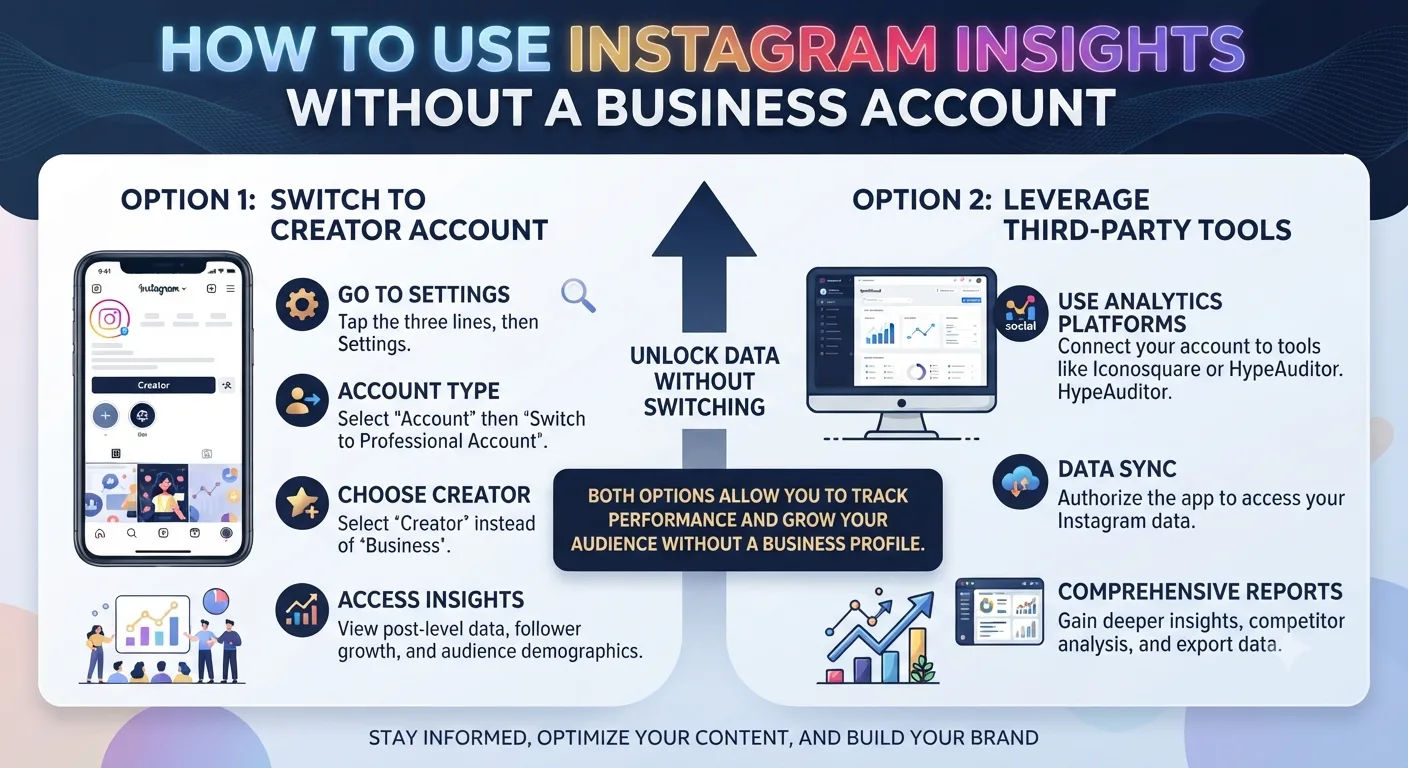
Open the Instagram app and go to your profile. Tap the hamburger menu in the top right corner and select Settings and Privacy. Look for Account Type and Tools or a similar navigation path to account type settings. Select Switch to Professional Account and follow the prompts to choose between a Business account and a Creator account.
Business accounts are designed for brands, organizations, and companies. They display a business category and offer commerce features alongside analytics. Creator accounts are designed for individual content creators, public figures, and influencers. They offer a similar analytics suite with some differences in contact options and other features.
Switching is non-destructive. All existing content, followers, and engagement data remain intact. The switch simply unlocks the Insights dashboard without changing anything about your existing account presence.
Getting Analytics Data Without Switching: Alternative Approaches
For personal accounts that genuinely cannot or will not switch to a business or creator account, several alternative approaches provide partial analytics access.
Manual Tracking Spreadsheet
As covered in Day 8's saved profiles and tracking guide, manual tracking through a regularly updated spreadsheet can capture the basic metrics available to personal accounts, like counts, comment counts, view counts on videos, and follower count, over time.
Recording these figures on a consistent schedule, daily or weekly depending on posting frequency, builds a historical dataset that enables trend analysis even without official Insights access. The limitation is that manual tracking captures only the publicly visible metrics and misses the private analytics data like reach, impressions, and audience demographics that Insights provides.
Third Party Analytics Tools Connected to Personal Accounts
Some third party analytics tools offer limited analytics access for personal accounts by connecting through Instagram's API with a user's authorization. The availability and depth of analytics through this approach has varied over time as Instagram has adjusted its API access policies, and personal account API access is generally more restricted than business account access.
Checking current third party tool offerings specifically for personal account compatibility is necessary since this area changes with Instagram's platform policies.
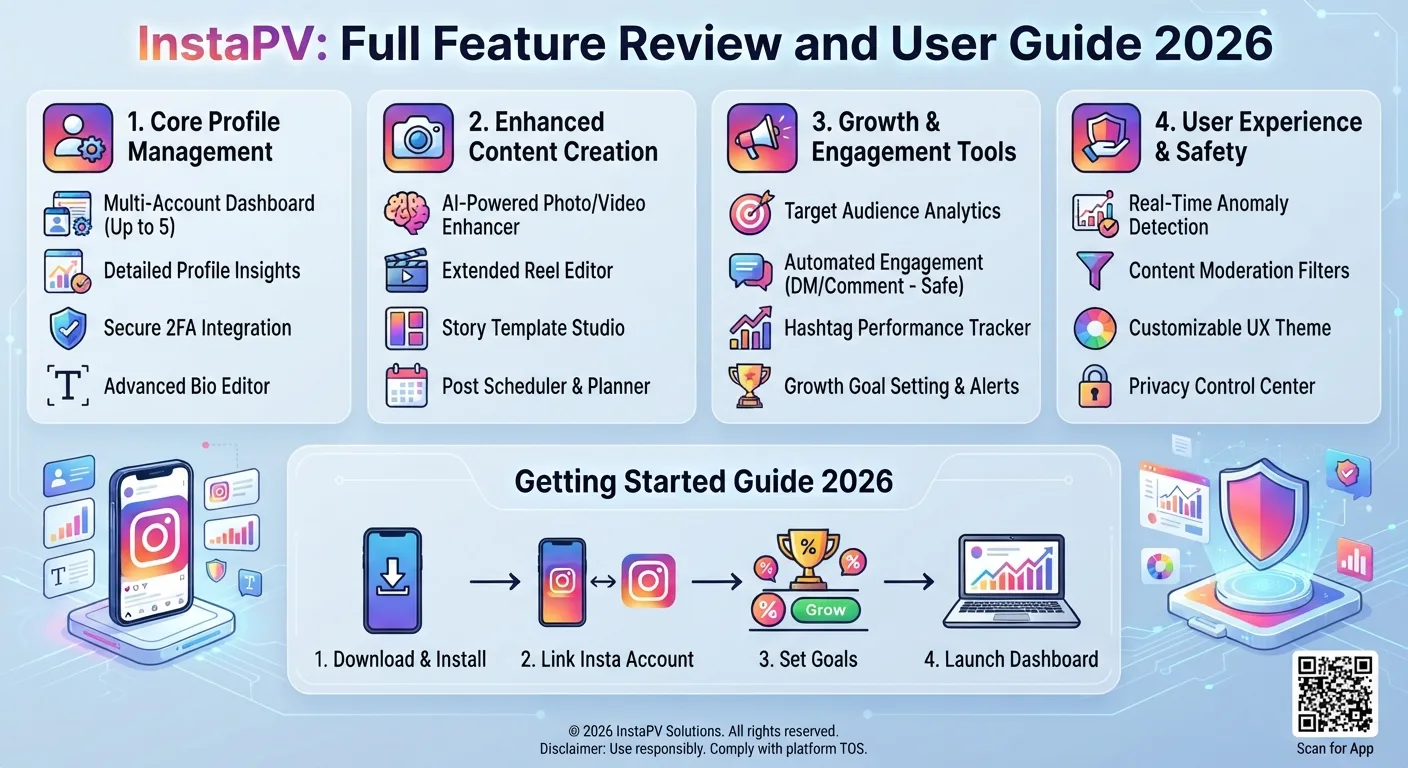
Using InstaPV for Competitive Research
While InstaPV does not provide private analytics for your own account since it analyzes publicly available data, it provides full analytics access for any other public account. For personal account owners wanting to understand how their performance compares to other accounts in their niche or wanting to research content strategies from comparable accounts, InstaPV's public account analytics serve this research purpose effectively.
Creator Account vs Business Account: Which Is Better for Analytics
For anyone making the switch to a professional account specifically for Insights access, the choice between Creator and Business affects the experience slightly beyond just analytics.
Both account types provide the same core Insights dashboard with reach, impressions, engagement, audience demographics, and follower activity data. The analytics capabilities are not meaningfully different between the two types.
Creator accounts offer a professional dashboard designed specifically for individual creators, with features like a dedicated creator inbox that separates primary and general messages, and the ability to display or hide a contact button.
Business accounts offer commerce features including Instagram Shopping integration, the ability to run ads through the full Meta Ads Manager interface, and a category display that identifies the account's business type.
For individual content creators without a commerce or advertising need, creator accounts typically provide a more appropriate set of features. For businesses with products to sell or advertising campaigns to run, business accounts provide the necessary commercial infrastructure.
Interpreting Insights Data Once You Have Access
Switching to a business or creator account is only the first step. Getting genuine value from Insights requires understanding how to interpret the data it provides, which has been covered across multiple posts throughout this series.
Day 2's analytics guide covered the complete breakdown of every Instagram metric and what each one means. Day 10's content planning guide covered how to use analytics data to inform future content decisions rather than simply reporting on past performance. Day 15's Reels analytics guide covered the specific metrics most relevant to Reels performance. Day 5's posting time guide covered how to use audience activity data from Insights to optimize posting schedules.
The pattern across all of these posts is that analytics data is most valuable when used comparatively over time and when findings are translated directly into content decisions rather than simply observed and filed away.
-
Instagram Story Views: What the Numbers Actually Mean
-
10 Types of Instagram Content That Always Get Engagement
-
How to Find Instagram Accounts in a Specific Location
Frequently Asked Questions
Q: Does switching to a business or creator account hurt my reach?
No. Instagram has explicitly stated that account type does not directly affect organic algorithmic distribution. The persistent belief that business accounts receive less organic reach is a myth not supported by credible platform evidence. Switching account type to access Insights does not reduce your content's distribution potential.
Q: Can I switch back to a personal account after trying a business or creator account?
Yes. The switch is reversible. Switching back to a personal account removes access to Insights but does not affect any existing content, follower relationships, or engagement data.
Q: Does a business or creator account cost anything?
No. Switching account type is free. The Insights dashboard, all analytics features, and the professional account tools are available at no cost beyond having a business or creator account designation.
Q: Will my followers see that I switched to a business or creator account?
Your followers will see any category label or contact buttons you choose to display on your profile. Switching account type itself is not announced or notified to followers. The changes to your profile are limited to the additional profile elements you choose to enable.
Q: If I have a personal account, can I still use InstaPV to research analytics for accounts in my niche?
Yes. InstaPV provides public account analytics for any public Instagram account regardless of what type of Instagram account you personally have. The research capability is independent of your own account settings.
Conclusion
Official Instagram Insights access requires a business or creator account, and the analytics gap between personal accounts and professional accounts is significant enough that the switch is worth making for anyone using Instagram for content creation, brand building, or business purposes.
For personal accounts that choose to remain personal, manual tracking of available metrics and third party research tools for competitive analysis provide partial alternatives. For anyone wanting to research other accounts' performance regardless of their own account type, InstaPV provides the publicly available analytics data needed for competitive research and niche analysis without any account type requirement.
Research analytics for any public Instagram account on InstaPV →