Introduction
Not everyone wants an Instagram account. Maybe you value your privacy and prefer not to add another social media platform to your digital footprint. Maybe you closed your Instagram account years ago and have no interest in reopening it. Maybe you simply need to check a specific public profile for research, journalism, or business purposes without the friction of creating and maintaining an account. Maybe you want to see what a competitor is posting without them ever seeing your brand in their analytics.
Whatever the reason, the desire to view Instagram content without creating an account is completely legitimate and more achievable than many people realize.
Instagram itself makes this somewhat difficult by design. The platform is built around the assumption that everyone who wants to see content should have an account, and it has progressively tightened access for unauthenticated visitors over the years. But publicly available content on public Instagram accounts remains accessible through several reliable methods and this guide covers all of them.
What You Can and Cannot View Without an Account
Before diving into the specific methods, it is important to set realistic expectations about what is accessible without an Instagram account and what requires authentication.
What Is Accessible Without an Account
All content on public Instagram accounts is, by definition, publicly available meaning it can be viewed without an account when accessed through the right method. This includes:
Profile information display name, username, bio, website link, follower and following counts, and post counts are all visible on public profiles without authentication.
Feed posts, carousels, and Reels all content published to the profile grid of a public account is publicly accessible, including the full caption, hashtags, location tags, and visible engagement metrics like likes and comments.
Instagram Stories active stories on public accounts are accessible without a logged-in account when using appropriate tools.
Instagram Highlights the curated collections of saved stories displayed on a public profile are publicly accessible and viewable without authentication.
Profile pictures the profile picture displayed on any public account is visible without an account.
What Is Not Accessible Without an Account
Private account content any account that has set its privacy to private restricts content to approved followers only. This restriction applies regardless of how you try to access the content.
Direct messages private communications are never publicly accessible under any circumstances.
Instagram Stories viewer lists and account analytics these private data points are only available to the account owner.
Any content behind Instagram's login wall that is not on a public profile.
Method 1: Use InstaPV for the Most Complete Access
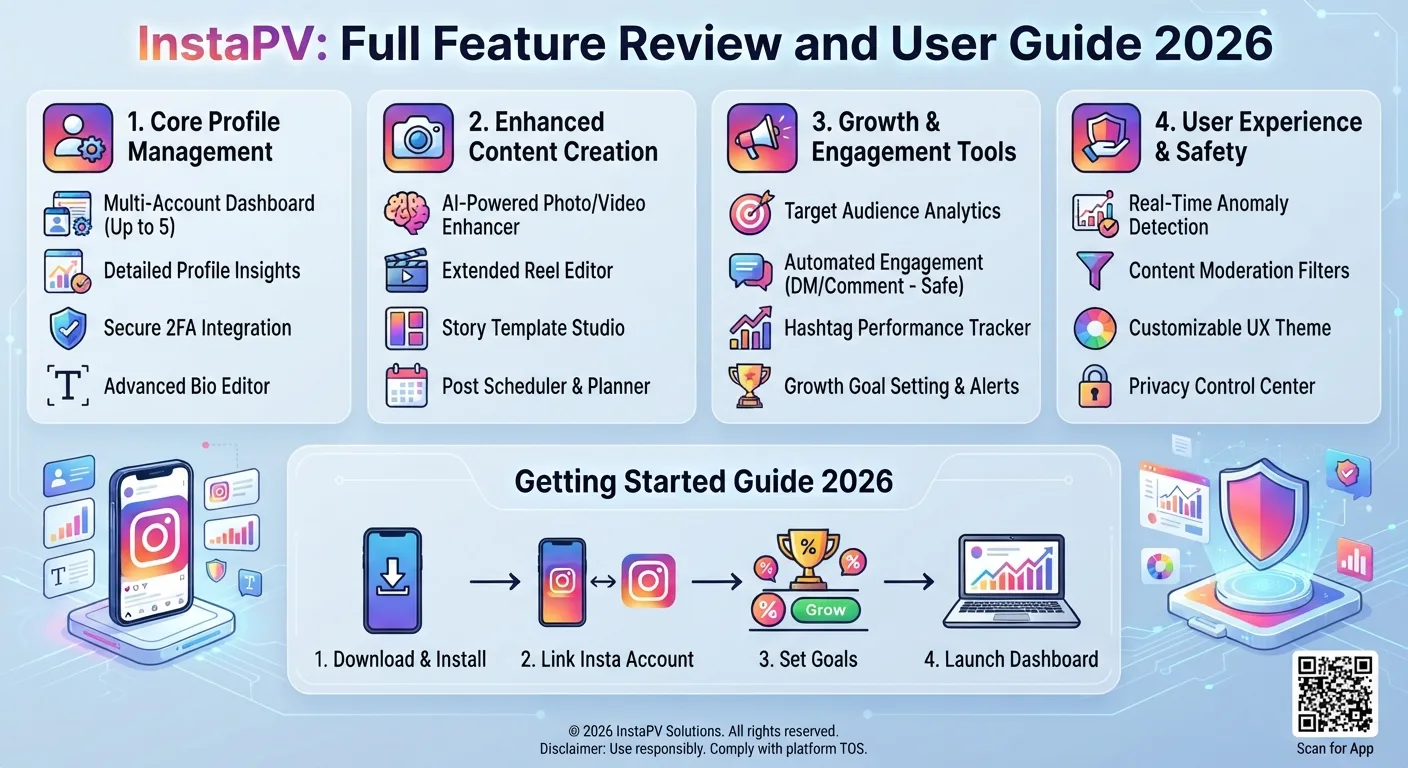
The most comprehensive and reliable way to view public Instagram content without an account in 2026 is through a dedicated tool like InstaPV. This method gives you access to profiles, posts, stories, Highlights, and analytics without any of the friction or limitations that come with trying to access Instagram directly without logging in.
Step-by-Step Process
Step 1: Open your browser.
Go to instapv.xyz in any web browser Chrome, Safari, Firefox, Edge, or any browser on desktop or mobile. No app download is required. No account creation of any kind is needed.
Step 2: Enter the username.
In the search bar on the InstaPV homepage, type the username of the public Instagram account you want to view. Do not include the @ symbol just the username itself.
Step 3: Press Search.
Tap or click the Search button. InstaPV will retrieve the publicly available profile information within a few seconds and display it in a clean interface.
Step 4: Browse profile information.
The profile view shows the account's display name, bio, follower and following counts, post count, and any publicly visible Highlights. This gives you an immediate overview of the account without any login required.
Step 5: View active stories.
If the account has active stories within their 24-hour window, they appear in the story section of the profile view. Click or tap any story to open it in InstaPV's fullscreen story viewer. Navigate through the story sequence using the forward and back controls.
Step 6: Browse Highlights.
Scroll to the Highlights section of the profile view and select any Highlight collection to open it. All story content within public Highlights is viewable in the same fullscreen viewer used for active stories.
Step 7: View feed posts.
Browse the account's recent feed posts directly within InstaPV's interface, including captions, hashtags, and engagement data.
Step 8: Access analytics (optional).
For any public account, open InstaPV's analytics view to see follower growth trends, engagement rate data, and posting frequency over time all without requiring any login.
Why InstaPV Is the Best Method
InstaPV provides the most complete, consistent, and user-friendly experience for viewing public Instagram content without an account. Unlike direct browser access to Instagram, which increasingly encounters login walls and content restrictions, InstaPV consistently delivers the full publicly available content for any public account. And unlike many basic Instagram viewer tools, it goes beyond simple profile viewing to include stories, Highlights, and analytics all in a single clean interface.
-
Complete Guide to Instagram Bio Optimization for More Followers
-
Instagram Story vs Post: Which Drives More Engagement?
-
Top 5 Instagram Niches with the Highest Engagement in 2026
Method 2: Direct Browser Access to Instagram
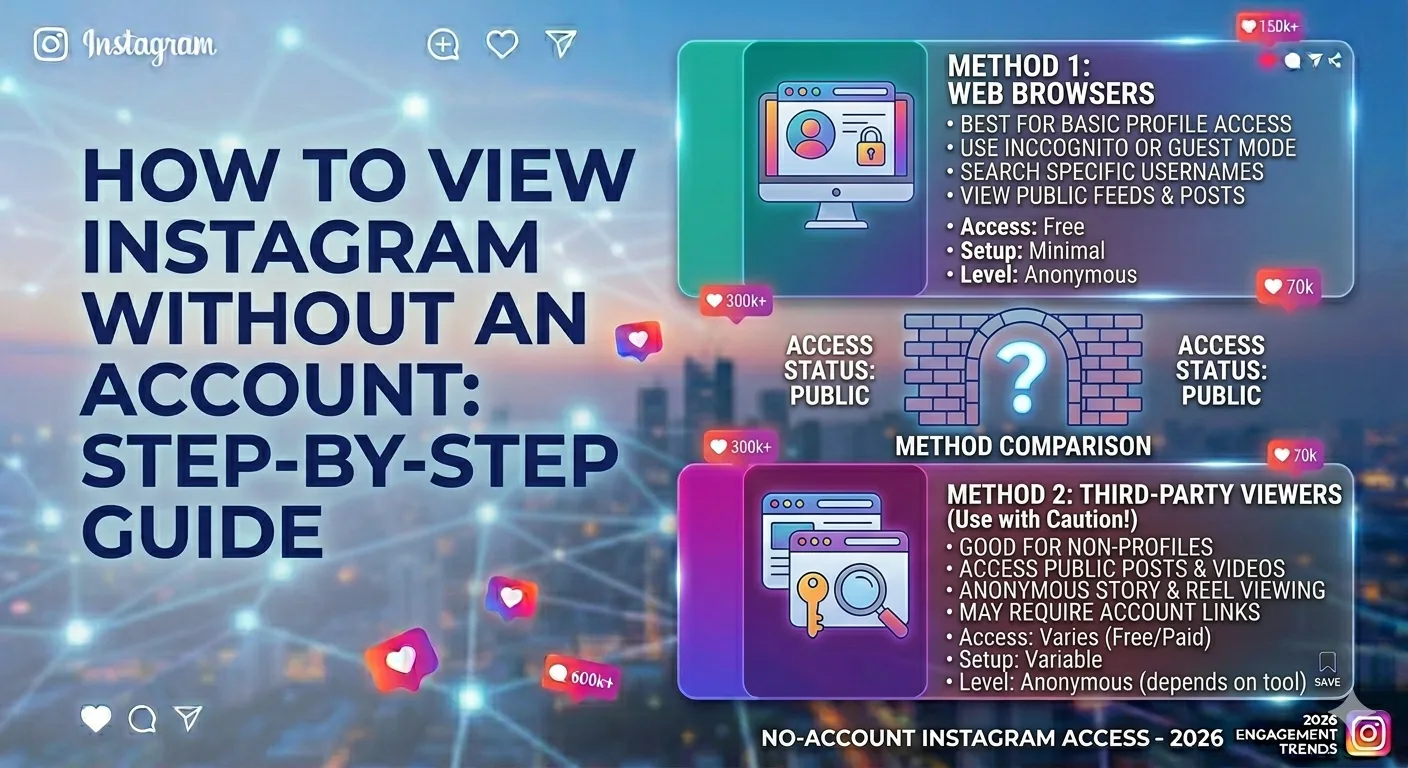
Instagram's website is technically accessible without logging in, and for some content on public profiles, this method still works though with significant limitations in 2026.
Step-by-Step Process
Step 1: Open a web browser.
Open any web browser on your desktop or mobile device. Using a private or incognito browsing window is recommended to prevent Instagram from using stored cookies to serve you a more aggressive login prompt.
Step 2: Navigate to the profile URL.
Type the profile URL directly into the address bar using the format:
https://www.instagram.com/username/
Replace "username" with the actual Instagram username you want to view.
Step 3: View what is accessible.
Without logging in, Instagram may show you the profile page with basic information the display name, bio, follower counts, and a grid of recent posts. Clicking on individual posts may allow you to view them with their captions and comments, though Instagram increasingly prompts login before displaying full content.
Significant Limitations of This Method
Progressive login walls. Instagram has progressively tightened what content is visible to unauthenticated visitors. In many cases, you can view only a limited number of posts or profile sections before encountering a "Log in to see more" prompt that blocks further access.
No story access. Instagram's website does not display active stories or Highlights to unauthenticated visitors this content requires a logged-in session on Instagram's own platform.
Inconsistent behavior. The amount of content accessible without login varies depending on your browser, any stored cookies or session data, your geographic location, and Instagram's ongoing platform changes. What works today may not work tomorrow, as Instagram periodically adjusts its unauthenticated access policies.
Cookie and session tracking. Even without a logged-in account, Instagram tracks unauthenticated visitors through browser cookies and device fingerprinting, meaning your browsing is not truly anonymous even without an account.
For these reasons, direct browser access to Instagram is useful as an occasional fallback but is not a reliable primary method for consistently viewing content without an account.
Method 3: Use Google's Cached Pages
For viewing specific Instagram posts that have been indexed by Google, cached page access can sometimes provide a snapshot of post content without requiring Instagram login.
Step-by-Step Process
Step 1: Search for the Instagram content on Google.
In Google's search bar, type the Instagram username or a specific topic you are looking for, along with "Instagram" for example, "username Instagram" or "topic Instagram post."
Step 2: Look for Instagram results in search.
Google's search results often show Instagram profiles and individual posts directly in the results page, sometimes with enough preview content to see the post image and a portion of the caption without clicking through to Instagram itself.
Step 3: Access cached versions (where available).
For some indexed Instagram pages, Google maintains a cached version accessible by clicking the three-dot menu next to a search result and selecting "Cached." This shows a snapshot of the page as Google last indexed it, which may be viewable without hitting Instagram's login wall.
Limitations of This Method
Cached access is inconsistent and often unavailable for Instagram content, as Instagram's access restrictions affect Google's ability to cache full content. This method is most useful for finding specific publicly mentioned posts rather than systematically browsing a profile, and it provides no access to stories, Highlights, or analytics.
Method 4: Accessing Instagram Through Embedded Content
Many websites, blogs, and news articles embed Instagram posts directly in their content. These embedded posts display the full image or video along with the caption and are often viewable without any Instagram login since the embedding website is rendering the publicly available post content within its own page.
How to Use This Method
If you are researching a specific public figure, brand, or topic and want to see specific Instagram posts without logging in, searching for "[name or brand] Instagram" in Google News or a general Google search often surfaces articles and blog posts that embed relevant Instagram content directly.
This is a useful supplementary method for finding specific notable posts, but it does not provide systematic access to a profile's full content, stories, or Highlights.
Comparing the Four Methods
Here is how the four methods stack up across the key dimensions of access, reliability, and additional features:
| Method | Stories | Highlights | Feed Posts | Analytics | Reliability | Privacy |
|---|---|---|---|---|---|---|
| InstaPV | Yes | Yes | Yes | Yes | Excellent | High |
| Direct browser access | No | No | Limited | No | Inconsistent | Low |
| Google cached pages | No | No | Occasional | No | Poor | High |
| Embedded content | No | No | Specific posts only | No | Varies | High |
For anyone who needs consistent, comprehensive access to public Instagram content without an account, InstaPV is clearly the most complete option. The other methods serve niche use cases direct browser access for very occasional profile checks, cached pages for finding specific indexed posts, embedded content for research that already has posts surfaced through other sources.
Privacy Considerations When Viewing Without an Account
One of the primary motivations for viewing Instagram without an account is privacy not wanting to create a digital footprint on Instagram's platform. Here is what you need to know about the privacy implications of each approach.
Direct Browser Access Is Less Private Than It Appears
Even without logging in, Instagram tracks unauthenticated visitors through browser cookies, IP addresses, and device fingerprinting. If you later create an Instagram account or log in from the same device, Instagram may be able to associate your prior unauthenticated browsing with your new account. Using a private browsing window mitigates some but not all of this tracking.
InstaPV Provides Stronger Privacy Protection
When you use InstaPV without creating a Pro account, your searches are not tied to any personal identity there is no account, no login, and no persistent tracking between sessions beyond the standard web server logs that any website generates. Because InstaPV accesses public content on your behalf rather than routing you directly through Instagram's own tracking infrastructure, the privacy benefit is substantially stronger than direct browser access.
The Account Owner Cannot See You in Either Case
Regardless of the method you use InstaPV, direct browser access, or any of the other methods the owner of the public account you are viewing cannot see that you looked at their profile or watched their stories, since there is no logged-in identity to attribute your view to. This is the fundamental anonymity benefit that applies equally across all legitimate methods of viewing public content without a logged-in account.
Common Questions About Viewing Instagram Without an Account
Does Instagram Know I Am Looking Without Logging In?
Instagram's servers do register traffic from unauthenticated visitors someone is requesting the page, after all but without a logged-in account, that traffic cannot be associated with a personal identity. Instagram knows a visit occurred but has no way to attribute it to a specific person.
Will I See All the Same Content as a Logged-In User?
No. Logged-in users have access to their personalized feed, Stories from accounts they follow, the Explore page personalized to their interests, and direct messages. Without an account, you can only see publicly available content on specific public profiles you visit directly. The personalized discovery experience that logged-in users have is not available without an account.
Can I Comment or Like Posts Without an Account?
No. Engaging with content liking, commenting, sharing to your own story requires a logged-in Instagram account. Viewing without an account is read-only access.
What If I Need to View Content From Multiple Accounts Regularly?
For regularly viewing multiple accounts without logging in, InstaPV is significantly more practical than direct browser access. InstaPV Pro's saved profiles feature allows you to maintain a collection of accounts you want to monitor, accessible with a single search rather than visiting each URL individually.
Frequently Asked Questions
Q: Can I use InstaPV on any device without installing anything?
Yes. InstaPV is a fully web-based tool that works in any browser on any device desktop, mobile, or tablet. No installation, no app download, no account creation required for the free core features.
Q: Does viewing Instagram without an account affect the content creator in any way?
Viewing public content through any unauthenticated method does not affect the content creator's analytics their reach, impressions, and story viewer data only reflect logged-in Instagram users who view their content through Instagram's official platform.
Q: Is there a limit to how many profiles I can view without an account using InstaPV?
The free tier of InstaPV allows viewing of multiple public profiles. For high-volume research needs, InstaPV Pro offers unlimited searches.
Q: Will Instagram eventually restrict all unauthenticated access?
It is possible that Instagram will continue to tighten unauthenticated access to its platform over time this has been a general trend since the early days of the platform. However, publicly available content on public accounts will remain accessible through tools that access this public data as a matter of principle, since the data is intentionally made public by the account owners.
Q: Can I search for accounts by topic rather than username when using InstaPV?
InstaPV's search is username-based. For discovering accounts in specific niches or topics without knowing specific usernames, Instagram's own Explore page (when accessed through a browser, even without logging in) and Google search for Instagram accounts by topic are useful complementary discovery methods.
Conclusion
Viewing Instagram without an account is entirely achievable in 2026 the public content on public Instagram accounts is genuinely publicly available, and several methods exist for accessing it without logging in. The most complete, consistent, and privacy-respecting method is using a dedicated tool like InstaPV, which provides access to profiles, stories, Highlights, and analytics in a single clean interface without any login requirement.
Whether your motivation is privacy, research, journalism, competitive intelligence, or simply not wanting another social media account, the methods in this guide give you everything you need to access public Instagram content on your own terms.
View any public Instagram profile without an account on InstaPV →